A client security questionnaire can put an Australian SME owner in an awkward position. A customer wants answers before approving your business as a supplier, but you need your IT provider to confirm what is actually in place. A quick "yes" could promise more than your systems deliver. Leaving everything unanswered could hold up the customer's decision.
Before you answer yes, ask your IT provider or the person responsible what supports that answer. Check that their evidence covers the systems the customer is asking about, and explain any gaps before signing.
Send enough detail for the customer to assess your answer. Ask which documents they need before attaching everything you hold.
Start with what the client security questionnaire covers
Ask the customer which requirements apply to the service you will provide. They are assessing the risks of working with your business, so your answers need to describe how you will handle their information and deliver that service. The Australian Signals Directorate's procurement and outsourcing guidance includes security risks among the considerations when buying systems and services.
Agree what the questionnaire covers
Before dividing up the questions, ask the customer to confirm the intended scope. Does the questionnaire cover your whole organisation, a particular service or only the systems that handle their information?
List the relevant applications, staff, locations and external providers. Include business applications managed outside your main IT support agreement. Your IT provider may be able to verify email security while having no visibility into a specialist client portal.
Keep the scope with the response. An answer about one service should not accidentally become a claim about every system your business uses.
Clarify ambiguous questions early
If a question asks whether you test recovery "regularly", ask what frequency the customer expects. Check other ambiguous terms too, especially claims that a control covers "all" systems.
Confirm the deadline and required attachments. If a portal permits only yes or no, ask where you can explain partial implementation or an exception. A restrictive form is no reason to answer yes when you cannot support it.
Check any programme-specific instructions that accompany the form. For example, the Department of Employment and Workplace Relations provides a Security Assessment Questionnaire through Right Fit For Risk for controls supporting delivery of departmental programmes. Those requirements belong to that programme; they do not apply to every SME.
Match each answer to evidence
Start with the questions that would matter most if the answer were wrong. Depending on the service, these might concern access to client information, recovery, incident notification or external providers.
Ask whoever supplies the evidence to explain what they checked. If they checked only one application, record that limit in the answer.
ASD's assessment evidence guide for enterprise IT considers how well controls work, including cases where they work only partially. It also asks assessors to consider whether supplier evidence is current and covers the services being assessed. Use it to inform your checks; the customer still sets the requirements for their questionnaire.
Keep a record of the evidence behind each answer. The table below gives you a starting point.
Separate policy, configuration and operation
These answer different questions:
- A policy records what the business expects people to do.
- A configuration record shows how a system was set up when checked.
- An operational record shows what happened during a particular activity or test.
For an access-removal question, a procedure explains how staff should remove access. A checked departure record helps show whether they followed it. One checked record does not show that you removed access for everyone who left.
If the customer asks about the Essential Eight, our guide for Australian small businesses explains the controls. Use the customer's specified assessment criteria when answering a maturity question; a general checklist is not evidence of a verified maturity level.
Keep a record of your checks
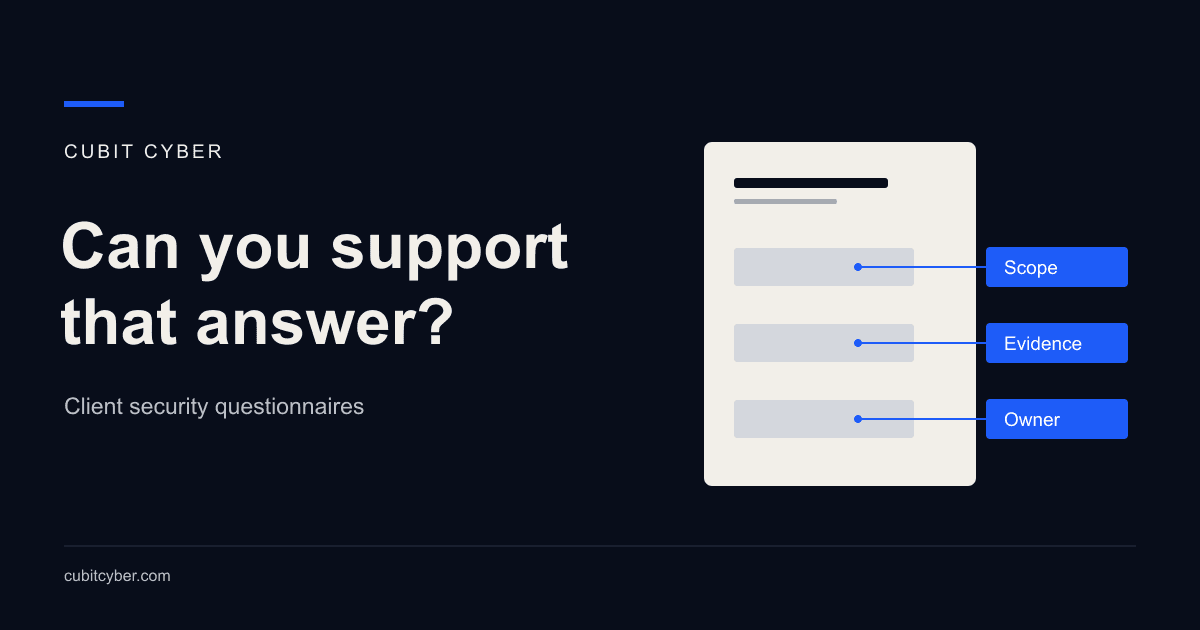
Use one row per question in your own register, with these fields:
| Field | What to record |
|---|---|
| Question | The exact requirement and any clarification |
| Scope | Systems, people and services covered by the answer |
| Evidence | Document or record reference, date and what was checked |
| Owner | The person responsible for verifying the answer |
| Gap | Missing coverage, an exception or an unresolved question |
| Review date | When to recheck, including after a relevant change |
Store evidence securely and refer to it from the register. Review older material before reuse, particularly if the business has changed applications, providers or access arrangements.
Explain incomplete controls honestly
If you do not know whether a control works, have someone check it before deciding what needs fixing. Record the answer as unverified while that check is outstanding.
If you know a control covers only part of the service, name the exception in your answer. Explain how you plan to address it.
This hypothetical example shows how to describe an outstanding check. Use wording like this only when it matches facts you have verified:
Multi-factor authentication is enforced for staff access to the client document portal. We have not yet verified the separate supplier support access path, so we cannot confirm coverage for all access. The IT manager owns that review.
The customer still needs to decide whether they can accept that unverified access.
Keep planned work separate from completed work
Buying a licence does not mean someone has configured and tested the control. If the work is still planned, say so. Confirm any promised delivery date with the people who will do it.
If the customer requires a control before onboarding, ask whether they can wait for the work. They may need evidence that it is complete before they approve your business.
Use "not applicable" only with a reason tied to the agreed scope. If you cannot explain why the question does not apply, seek clarification.
Share evidence with care
Before sending a full report, ask whether the customer will accept the relevant extract or a summary. For sensitive material, discuss whether they can review it through restricted access.
Check attachments for credentials, personal information, unrelated client details and technical information that is unnecessary for the decision. Remove irrelevant sensitive material while preserving the findings and limitations the customer needs to understand.
Agree who can see a detailed assessment and how you will share it securely. If another party prepared the report, check that you have permission to share it. Save the exact version you send.
A confidentiality agreement can support the exchange, but still review what is being disclosed. Never include passwords, recovery codes or other access secrets as evidence.
Get technical verification and business sign-off
Put one person in charge of collecting the answers and following up on missing evidence. They also need to resolve any contradictions between contributors. Your IT provider will need help with questions outside their work.
Ask the IT provider or internal technical team to verify the controls within their responsibility. Other owners may need to confirm staff training, supplier arrangements, records handling or contractual commitments.
Before signing, the business owner responsible for the response should check that:
- the final answers match the agreed scope and supporting evidence
- exceptions are visible wherever they affect an answer
- proposed improvements have owners and agreed dates
- attachments are appropriate to share
- the business can meet the commitments it is making.
If the questionnaire forms part of a contract, seek legal review where the meaning or consequences of a declaration are unclear.
Save the submitted response with its attachments and approval record. Include any clarifications you agreed with the customer. When the next questionnaire arrives, check what has changed before reusing those answers.
Use the gaps to decide what to fix
For each unanswered question, work out whether you need to find a record, test a control or fix something. Prioritise the work according to what could go wrong for the business, while keeping track of the customer's deadline.
If your team cannot verify how client information is protected, a Breach Prevention Assessment can examine the relevant systems and help your existing IT provider prioritise fixes. Agree the scope around the systems you use. The customer will make their own approval decision based on their requirements.
Before signing, take the questions about access to client information to whoever manages those systems. Ask them to show you the checks behind their answers, and record anything they still need to verify. Send those qualifications with the response so the customer can assess it accurately.