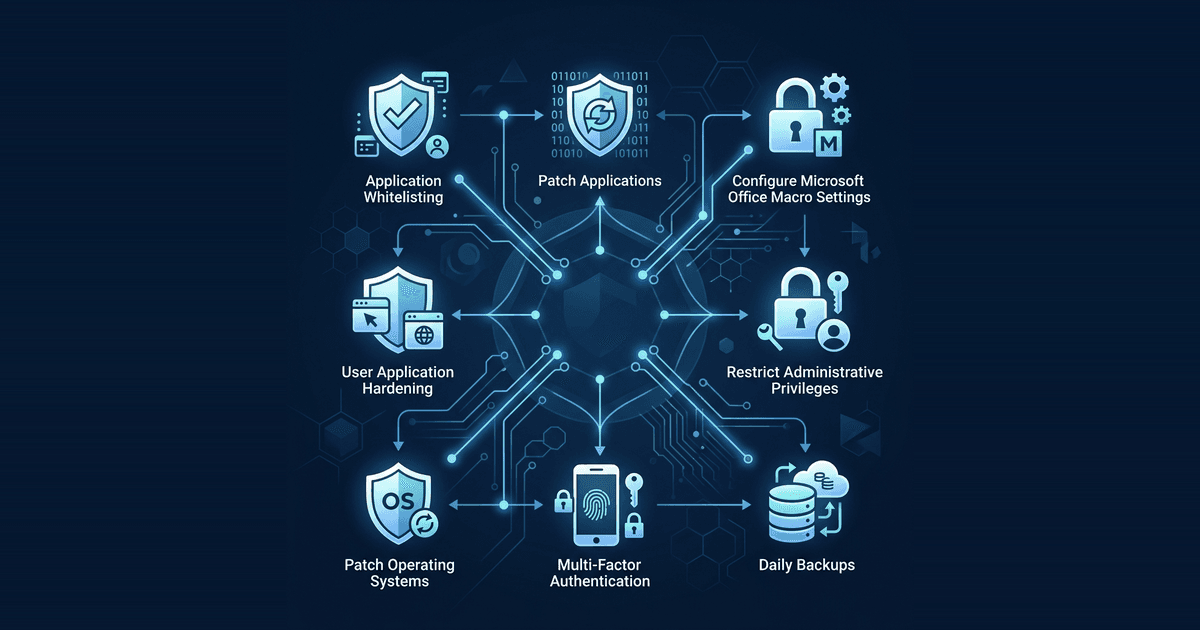
Most Cyber Security incidents in Australia succeed because of basic, avoidable gaps. After responding to 100+ ransomware attacks, I can tell you that criminals don't usually use magic; they use your mistakes. The Essential Eight is the framework built by the Australian Signals Directorate (ASD) to close those doors. It stops around 85% of common attacks. If you run a business, these eight controls are your absolute baseline for staying online.
Why the Essential Eight Matters in 2026
The Essential Eight used to be a "gold standard" reserved for banks and government departments. That changed. Now, if you want Cyber Security insurance or a government contract, you have to prove you've reached a specific maturity level. Even if you are just a supplier for a larger company, they will eventually ask to see your compliance.
This isn't a checklist for the sake of it. It is a way to defend your business against ransomware and data theft. By focusing on these eight areas, you build a defence that actually works, rather than just hoping your antivirus catches everything.
1. Application Control
Application control is about deciding what software is actually allowed to run on your computers. Instead of trying to block every piece of malware, we flip the script and only allow the programs we trust.
If a program isn't on our approved list, it won't start. I've seen this single control kill ransomware attacks before they could encrypt a single file.
2. Patch Applications: The 48-Hour Rule
Software has bugs. When a developer finds one, they release a patch. Hackers find them too, and they move faster than you think.
The 2026 standard is non-negotiable: if a vendor releases a "critical" security patch, you have 48 hours to apply it. This applies to your browser, your PDF reader, and your office apps. If you wait a week, you're essentially leaving the keys in the front door for an automated attack.
3. Microsoft Office Macros
Hackers love Microsoft Office macros because they are an easy way to automate an attack. A typical trick is an "overdue invoice" that asks you to "Enable Content" to view it. Once you click that button, the macro takes over.
We disable macros for almost everyone. If your finance team needs them, we set up rules so they only run from trusted folders. This change alone stops most phishing attempts dead.
4. User Application Hardening
This is essentially cleaning up your digital house. Your software often comes with features you will never use but that hackers can exploit. We disable things like Flash, Java, and specific browser components that create unnecessary risk.
The less "junk" code you have running, the fewer ways there are for someone to break in.
5. Restrict Administrative Privileges
An administrator has the power to change anything on a computer. If a staff member is logged in as an admin and their account is compromised, the hacker gets those same powers.
Staff should use standard accounts for daily work like email and web browsing. Admin accounts are for maintenance only. By restricting these privileges, you ensure a single compromised laptop doesn't lead to a total network collapse.
6. Patch Operating Systems
Windows and macOS need constant updates. Hackers target old versions because the vulnerabilities are well-documented and easy to exploit.
We make sure your servers and workstations update automatically. For critical holes, that 48-hour rule still applies. If your operating system is out of date, nothing else you do will keep you safe.
7. Multi-Factor Authentication (MFA)
Passwords are not enough. MFA is the minimum requirement for anything connected to the internet.
By 2026, SMS codes are no longer the standard because they are too easy to intercept. We help businesses move to "phishing-resistant" MFA, such as physical security keys or modern authenticator apps. If a hacker steals your password, they still cannot get into your accounts.
8. Daily Backups
Backups are your ultimate safety net, but only if they are done right. They must happen daily, and at least one copy must be kept where a hacker cannot reach it.
We use the 3-2-1-1 rule: three copies of your data, on two types of media, with one copy offsite and one "immutable" copy that cannot be changed or deleted. We test these backups regularly. If you get hit, you should be back online in hours, not weeks.
The Maturity Level Trap
The Essential Eight is divided into Maturity Levels (ML1, ML2, and ML3). Don't try to jump to Level 3 if you haven't mastered Level 1.
We focus on getting the basics right across all eight controls first. This is your foundation. It stops the majority of attacks. Trying to do too much too fast usually just frustrates your staff and breaks your business processes.
Summary
The Essential Eight is the most effective way to protect an Australian business. It moves you from "hoping for the best" to having a documented, verifiable defence. Whether you need it for insurance, contracts, or just peace of mind, these eight steps are the path forward.
To see where your business stands, we offer a free initial consultation: get in touch.